Upload specifications at a glance
| Document | Pixels | File size |
|---|---|---|
| Photograph | 200 × 230 (4.5 × 3.5 cm) | 20–50 KB |
| Signature | 140 × 60 | 10–20 KB |
| Left thumb impression | 240 × 240 (3 × 3 cm, 200 DPI) | 20–50 KB |
| Handwritten declaration | 800 × 400 (10 × 5 cm, 200 DPI) | 50–100 KB |
Source: the IBPS guidelines for scanning and uploading documents, as published with recent IBPS and SBI notifications. Each exam's notice is the final word — check it before you upload, since numbers can change between exams and years.
What the results look like
Phone photos of ink on paper, cleaned and resized with the tools on this page (sample documents with a fictional name):
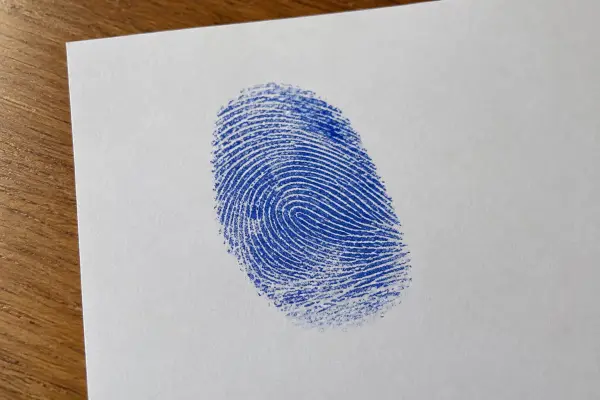 Thumb impression photo
 240×240 · 36 KB
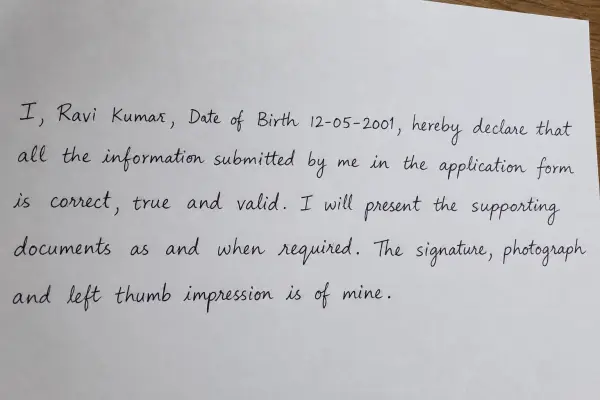 Declaration photo
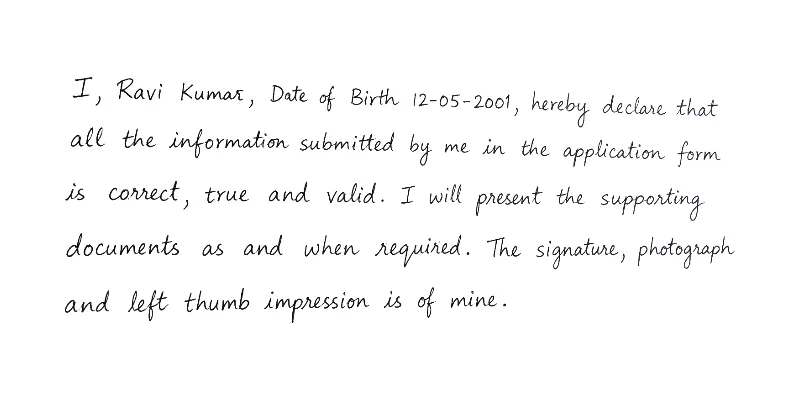 800×400 · 89 KB
The handwritten declaration text
The guidelines give this text. Write it in English, in your own normal handwriting (not capital letters), with a black pen on white paper, filling in your details:
“I, ______ (Name of the candidate), Date of Birth ______, hereby declare that all the information submitted by me in the application form is correct, true and valid. I will present the supporting documents as and when required. The signature, photograph and left thumb impression is of mine.”
Tips that avoid rejections
- Use plain white paper with no lines, and photograph it from straight above in daylight, without your phone's shadow.
- Fill most of the photo with the signature, print or text — the tools crop the rest and clean the paper to white.
- Keep JPG as the format. Check the size shown under each result before uploading.
- If you don't have a left thumb, the guidelines allow the right thumb.