How to make a clean signature image for online forms (JPG 10–20KB or transparent PNG)
Online applications ask for a scanned signature more often than for almost anything else, and the rules are strict: a JPG of 10–20KB, 140 × 60 pixels, black ink, white background, no capital letters. At the same time, signing a PDF contract needs a signature without a white box around it. Both start from the same thing — a good signature on paper. This guide covers how to capture it, clean it and save it in the right format and size.
Make your signature image →Draw it or photograph it on paper; get a clean JPG or transparent PNG at the exact size.
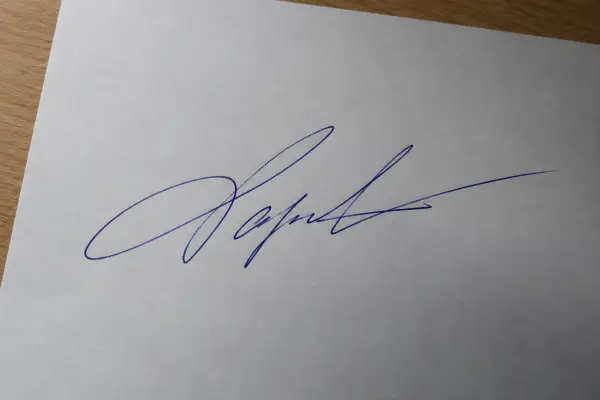
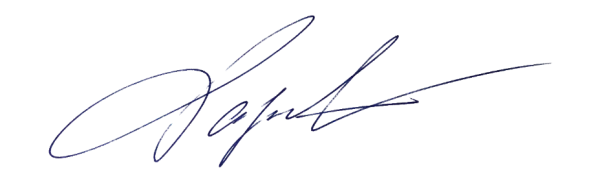
Step 1: sign on the right paper with the right pen
- Plain white paper, no lines or grid. Ruled lines survive the cleanup and look like scratches.
- Black pen (or dark blue where allowed). Many exam notices — RRB, SSC, IBPS — ask for black ink specifically.
- Your normal signature, in running handwriting. Several portals reject signatures in BLOCK or CAPITAL letters.
- Sign three times and pick the cleanest. A medium-thick pen photographs better than a fine one.
Step 2: photograph it (or draw it)
A scanner is ideal, but a phone works just as well if you avoid three problems:
- Shadows. Shoot from straight above in daylight or under a bright lamp, and keep your phone's shadow off the paper.
- Distance. Get close enough that the signature fills most of the photo. Small signatures in a large photo lose detail when they are cropped.
- Blur. Tap to focus on the ink and hold still; a slightly blurred signature turns grey and fuzzy when it is cleaned.
No pen and paper nearby? On the signature page you can draw with a finger or mouse. That suits documents; for exam portals that ask for a scanned signature, a photo of a real one is safer.
Step 3: clean it
Phone photos of paper are never evenly white: the middle is brighter than the corners, there are shadows, and the paper is slightly grey or yellow. Simple "remove white background" tools use one fixed brightness threshold, so either grey paper stays in the image or faint ink strokes disappear. A better approach compares each spot with the paper around it, which turns uneven paper into clean white (or transparent) while keeping thin strokes. SlimIO also removes stray specks and keeps small marks that belong to the signature, like the dot of an i.
Step 4: choose the format
| JPG | Transparent PNG | |
|---|---|---|
| Background | White | None — only the ink |
| Use it for | Exam, job and government upload forms | Signing PDFs, contracts, letters, slides |
| Size control | Easy to hit a KB range like 10–20KB | Usually not needed |
Step 5: set the size the form asks for
Forms describe signature size in pixels, centimetres or both, plus a KB range. Typical requirements:
| Form | Signature rule | Preset |
|---|---|---|
| IBPS / SBI bank exams | 140 × 60 px, 10–20KB | bank signature |
| RRB NTPC (CEN 06/2026) | at least 140 × 60 px, 30–49KB | RRB signature |
| SSC | about 6.0 × 2.0 cm, 10–20KB | SSC signature |
| UPSC | 350–1000 px, 20–300KB | UPSC signature |
| NEET (UG) 2026 | 10–100KB | NEET signature |
For a form that isn't listed, paste its instructions into the Paste your form's requirements box — "Signature 140 x 60 pixels, file size between 10 KB and 20 KB, JPG" — and the pixels, range and format are set for you. If a clean signature comes out below the minimum KB, padding data is added so the file passes without changing the image. The sources for each exam are listed in photo and signature sizes for Indian exams.
Step 6: put it on a document
To sign a PDF, use the transparent PNG. On the signature page, Use this signature to sign a PDF carries it straight to Sign PDF, where you drag it onto the signature line, resize it with the corner handle and download the signed file. Nothing is uploaded: the signature and the PDF stay in your browser.
Common problems and fixes
| Problem | Cause | Fix |
|---|---|---|
| Grey box around the signature | Paper photographed in dim or uneven light | Turn on background cleanup; reshoot in daylight if it's very dark |
| Strokes look broken | Fine pen, blurry photo | Use a thicker black pen, focus on the ink |
| "File size too small" | Simple image under the minimum KB | Use a preset or a KB range; padding is added automatically |
| "Invalid dimensions" | Pixels don't match the form | Choose the preset or enter the exact pixels |
| Rejected after submission | Capital letters, coloured ink, signature too small in the frame | Sign normally in black ink and crop close |
Draw it or photograph it on paper; get a clean JPG or transparent PNG at the exact size.