SSC signature and photo upload 2026: the 10–20KB rule, the 80% rule and why forms get rejected
On SSC's online application the photograph is taken live, so the file you can get wrong is the signature: a JPEG of 10–20KB, about 6.0 cm wide and 2.0 cm high. SSC's notices say that "blurred or miniature signatures" lead to summary rejection, and its own instruction sheet names the miniature signature as the main reason it rejects. This page collects the numbers from the 2026 notices and the rules for a signature that passes.
Make your SSC signature →Draw or photograph your signature and get a JPG between 10KB and 20KB. Nothing is uploaded.
What SSC asks for
| Item | What the notice says | Make it |
|---|---|---|
| Photograph | Captured live by the application with your camera. No file size is given. No cap, mask or glasses; plain background; face inside the frame | Taken in the form |
| Signature | Scanned, JPEG/JPG, 10–20KB. About 6.0 cm × 2.0 cm (width × height) | SSC signature preset |
| Signature in One Time Registration | Same 10–20KB range; about 4.0 cm × 2.0 cm on the registration page of some notices | SSC signature preset |
The signature: 10–20KB and about 6 × 2 cm
The Stenographer Grade 'C' & 'D' Examination 2026 notice, para 9.9, reads: candidates are required to upload the scanned signature in JPEG/JPG format (10 to 20 KB), with an image dimension of about 6.0 cm (width) × 2.0 cm (height). The same 10–20KB range and 6.0 × 2.0 cm figure appear in SSC's other 2026 notices, and some of them add a resolution of 300 DPI.
Centimetres are a print size, so they only turn into pixels once a resolution is chosen. At 300 DPI, 6.0 × 2.0 cm is about 709 × 236 pixels. What the shape tells you is simpler: the image is three times as wide as it is high. A square or a tall image, or a signature drawn tiny in the middle of a wide image, does not match it.
The SSC preset in the signature tool keeps that 3:1 shape, saves a JPG on a white background and fits it between 10KB and 20KB. If a clean signature comes out below 10KB, the tool adds inert padding data so the file meets the minimum while the picture stays the same.
The 80% rule
SSC published an Instructions to Candidates for uploading of signatures sheet on 15 August 2024. It makes two points:
- The major reason for rejecting signatures is the "miniature" signature.
- Candidates should cut out the box and sign within it, so that the signature occupies at least 80% of the box.
The sheet shows a sample of an accepted signature and samples of rejected ones. The point for you: when you photograph the paper, crop closely. A signature in a corner of an A4 page, scaled down to 10–20KB, becomes a thin scribble that looks like a rejected sample.
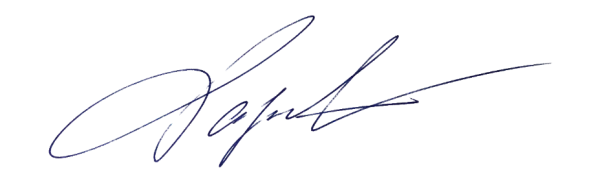
The tool does that trimming for you: it removes the paper background and crops to the ink, then places the signature in the 3:1 frame. You can check the result before you download it.
The photograph
The application module is designed to capture a live photograph of the candidate filling in the form. The notice gives these instructions for the capture:
- Find a place with good light and a plain background.
- Hold the camera at eye level and look straight ahead.
- Keep the face fully inside the area drawn on screen, neither too close nor too far.
- Do not wear a cap, mask or glasses.
The notice adds that you must not capture a photograph of an existing photograph, and that such applications will be rejected. Since the photograph is live, SSC also asks that your appearance on exam day matches it. Staff at the centre may refuse suspicious candidates.
SSC's 2024 sheet lists the rejection reasons for photographs: no plain background, a cap, no shirt, a photo that is not bright enough, and a blurred photo. Sit facing a window or lamp, not with the light behind you.
Why SSC applications get rejected
- Miniature or blurred signature: named in the notice and in the instruction sheet.
- Photo of a photo: the live capture must show you, not a printed picture.
- Cap, mask or glasses, or a face that is not fully inside the frame.
- Dark or unclear photograph, or a busy background.
- File outside 10–20KB: a signature straight from a phone is several hundred KB, and a very clean one can fall below 10KB.
The 2026 Stenographer notice also says that the application of candidates who opted for Aadhaar Based Authentication will not be rejected on the grounds of an inappropriate photograph or a blurred or miniature signature. Everyone else can be rejected summarily, so prepare the files properly.
Make the signature in a few minutes
- Sign with a black pen on plain white paper, large enough that it fills most of the page's width.
- Open the signature tool with the SSC preset. Upload a photo of the paper, or draw the signature with a finger or mouse.
- Click Make signature image. The result shows the file size, which should be between 10 and 20KB, and the signature should fill the frame.
- Download the JPG and upload it where SSC asks for the signature.
Everything runs in your browser, so your signature is not uploaded to SlimIO. For the numbers other exams ask for, see photo and signature sizes for RRB, SSC, UPSC, NEET and IBPS and how to make a signature image for online forms.
Sources
- Staff Selection Commission, Notice of Stenographer Grade 'C' & 'D' Examination, 2026: para 9.9 (signature), live photograph instructions, note on Aadhaar Based Authentication. notice PDF
- Staff Selection Commission, Instructions to Candidates for uploading of signatures (15 August 2024): miniature signatures, the 80% rule, photograph rejection reasons. instruction sheet PDF
- Staff Selection Commission, 2026 notices for Selection Posts Phase XIV and CHT, and the notice of 1 December 2025: signature size and dimension. ssc.gov.in
Draw or photograph your signature and get a JPG between 10KB and 20KB. Nothing is uploaded.