UGC NET December 2026 photo and signature size: what the bulletin asks for
The UGC-NET December 2026 application asks for three pictures of you: a live photograph taken while you fill in the form, an uploaded photograph of 10–200KB, and an uploaded signature of 10–50KB. Candidates with a disability also upload their UDID or disability certificate as a PDF of 50–300KB. This page goes through each file using the Information Bulletin NTA published on 8 October 2026.
Make your UGC NET signature →Draw or photograph your signature and get a JPG between 10KB and 50KB. Nothing is uploaded.
All uploads at a glance
| Upload | December 2026 bulletin | Make it |
|---|---|---|
| Live photograph | Taken in the form with a webcam, or with a phone by scanning the QR code. Light-coloured background, good lighting, 80% face visible including ears, no mask | Taken in the form |
| Photograph | 10–200KB, recent, colour or black and white, white background, 80% face visible including ears, no mask | Passport photo under 200KB |
| Signature | 10–50KB | UGC NET signature preset |
| Disability / UDID certificate PwD/PwBD only | PDF, 50–300KB, clearly legible | Compress PDF to 300KB |
Key dates
- 8–28 October 2026: online application and fee payment (up to 11:50 PM).
- 29–31 October 2026: late submission with a Rs. 500 late fee.
- 2–4 November 2026: correction in the particulars of the form.
- 14–19 December 2026: examination.
The signature: 10–50KB, not 4–30KB
Search results, coaching sites and videos still quote a UGC NET signature size of 4KB to 30KB. That number comes from older NTA notices. A 2020 NTA public notice, for example, says the "size of scanned signature should be between 4 kb to 30 kb". The December 2026 bulletin says 10KB to 50KB.
The change matters most at the bottom end. A clean signature on white paper is a very simple image and can compress to 5 or 6KB. That passed the old rule but fails the new 10KB minimum. Keeping under the old 30KB ceiling is still safe, because it is inside the new range.
The bulletin gives no pixel size for the signature. A wide, short image that the signature fills works best. The UGC NET preset saves a 400 × 160 px JPG on a white background, at the best quality that fits under 50KB. If a very clean signature still comes out below 10KB, SlimIO adds inert padding data so the file meets the minimum while the picture stays the same.
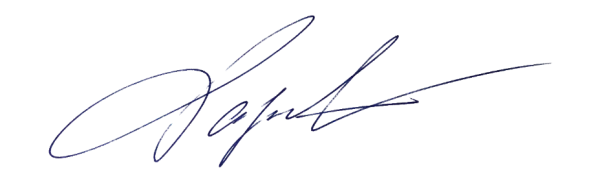
For a clean result, sign on plain white paper with a black or dark blue pen. Photograph it from straight above in daylight, without the phone's shadow on the page. You can also draw the signature with a finger or mouse in the tool instead.
The uploaded photograph: 10–200KB
The bulletin's rules for the photograph you upload:
- File size between 10KB and 200KB.
- A recent photograph, in colour or black and white.
- 80% face visible, including the ears, without a mask.
- Against a white background.
There is no pixel size in the bulletin, but there is a good reason to use a passport-size photo (3.5 × 4.5 cm). On exam day you must bring one passport size photograph, the same as the one uploaded in the online application form, to paste on the attendance sheet. If you upload the picture you will print, the two always match.
"80% face visible including ears" means a close, straight-on head-and-shoulders shot: the face fills most of the frame and both ears show. Hair covering the ears, a cap or a mask breaks that rule. The passport photo preset crops to 413 × 531 px (3.5 × 4.5 cm at 300 dpi) and saves under 200KB. You can move and zoom the frame to put your face where it needs to be.
The live photograph
While filling in the form you also take a live photograph. The bulletin says to switch on your camera or connect a webcam to the device you are using. If the device has no webcam, scan the QR code shown on the form with a mobile phone or tablet and take the photograph there.
The same conditions apply: a light-coloured background, proper lighting and 80% of your face visible, including the ears, without a mask. Sit facing a window or a lamp rather than with the light behind you, and take off a cap or anything that covers your ears.
The bulletin also says NTA may verify candidates' details and photographs, and it advises updating your Aadhaar card with a recent photograph. Use a recent photo for the upload, so that it looks like you on the day.
Disability or UDID certificate (PwD/PwBD)
Candidates claiming PwD/PwBD status upload a scanned copy of their Disability or UDID certificate as a clearly legible PDF between 50KB and 300KB. The bulletin says UDID card details are verified on the UDID portal. Any mismatch can only be corrected in the correction window, and verified claims are not reopened after it closes.
A phone scan is often several megabytes. Compress PDF to 300KB shrinks it to the limit while keeping the text readable. A PDF already below 50KB is usually too low in resolution. Scan it again at a higher quality instead of compressing it.
Why uploads get rejected
- Unclear pictures: no admit card is issued for applications that are incomplete, including "indistinct/doubtful photographs" or unsigned applications.
- Someone else's photo or signature, or morphed photographs, are treated as Unfair Means.
- Wrong size: a signature made to the old 4–30KB rule can fall under the new 10KB minimum, and a phone photo straight from the camera is far above 200KB.
The bulletin lists a correction window from 2 to 4 November 2026 for the particulars of the form. It does not say whether the uploaded photo and signature can be replaced then. Look at both on the confirmation page before you pay.
Make the files in a few minutes
- Signature: open the signature tool with the UGC NET preset. Draw your signature, or upload a photo of it on white paper, then click Make signature image. The result shows the file size, which should be between 10 and 50KB.
- Photograph: open the passport photo preset and add a recent photo taken against a white wall. Move the frame so your face and both ears fill it, then download the JPG.
- Certificate (if you need one): compress the PDF with Compress PDF to 300KB.
Everything runs in your browser, so the photo and signature are not uploaded to SlimIO. Other Indian exams have different numbers. Photo and signature sizes for RRB, SSC, UPSC, NEET and IBPS collects them in one table.
Sources
- NTA, UGC-NET December 2026 Information Bulletin (8 October 2026): important dates, uploads, live photograph and exam-day documents. bulletin PDF, ugcnet.nta.nic.in
- NTA public notice on correction of photograph and signature (16 July 2020), where the signature was 4–30KB. nta.ac.in
Draw or photograph your signature and get a JPG between 10KB and 50KB. Nothing is uploaded.